How to transcribe audio to text offline on Windows
Turn an MP3, a voice memo, an interview or a video into editable text on your own PC, free and without an internet connection. Six steps, and about as long as it takes to read them.
What you need
- A Windows PC
- Windows 10 version 1809 or later, or Windows 11, 64-bit
- The recording
- MP3, M4A, WAV, WMA, FLAC, MP4 and more
- Transcribe - Offline
- Free, from the Microsoft Store. About 1 GB with both speech models
- Internet
- Only to install. Transcription runs without it
- Optional
- A graphics chip with a Vulkan driver, for much faster transcription
Step by step
Install Transcribe - Offline
Download it from the Microsoft Store and open it. There is no account to create and nothing else to download.
Import the recording
Drag the file onto the window, or press Ctrl+O and choose it. Video files work too: Transcribe uses their sound.
Choose the model and language
Standard is fast and free without limits. Accurate is slower and better with noise, accents and names. Choose the language if you know it, or leave it on automatic, and say how many people speak.
Transcribe
Press Transcribe. The first lines appear within seconds; long recordings carry on in the background, and Windows tells you when they are ready.
Check and fix
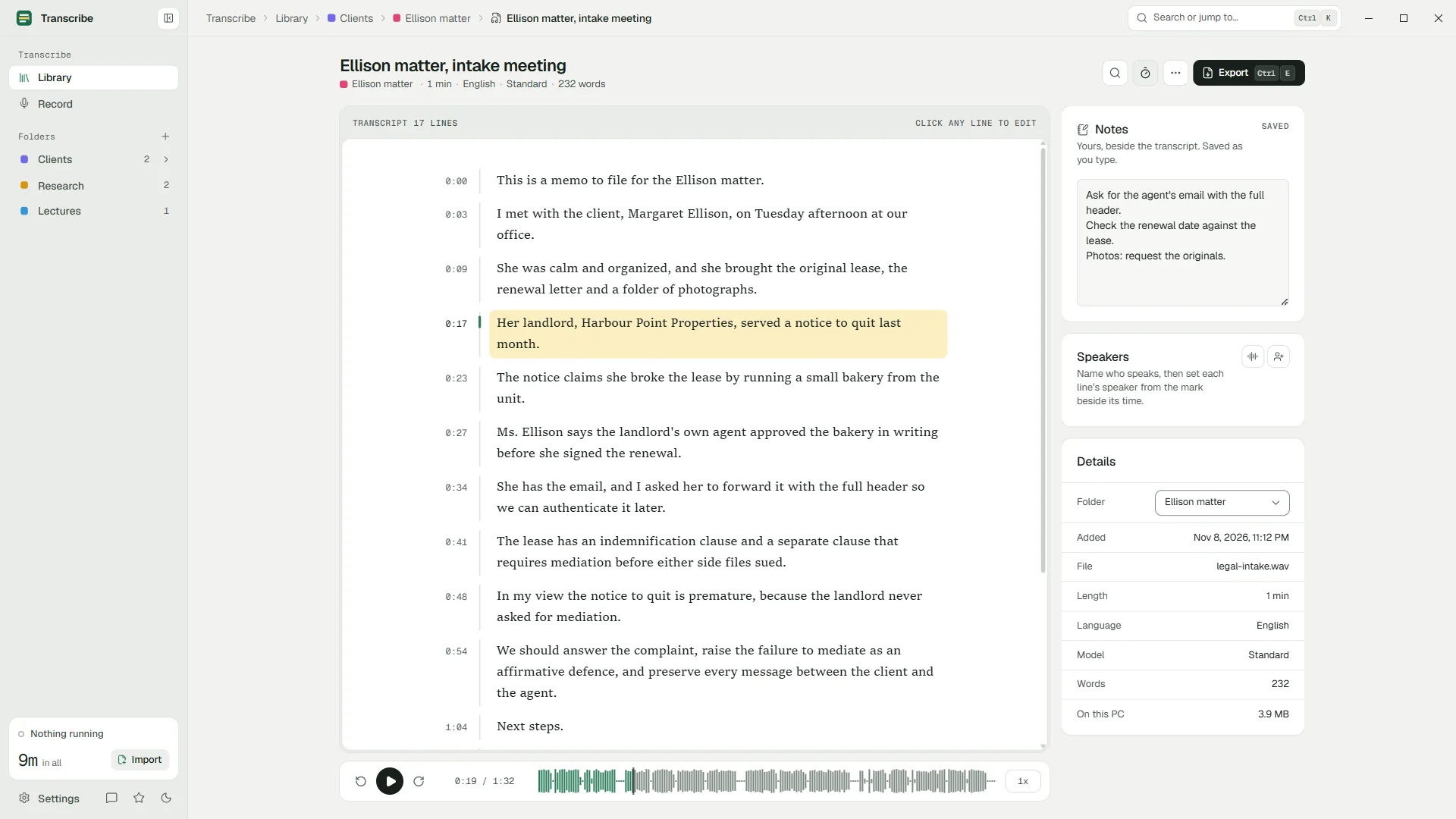
Click any line to hear it. Click into the text to correct it; it saves itself. Press Ctrl+H to replace a misheard name everywhere at once.
Export
Press Ctrl+E: copy the text, or save plain text with or without timestamps, or SRT and VTT subtitles. With Pro, Word and PDF.
Which files work
| Format | Where it often comes from |
|---|---|
| MP3 | Podcasts, dictation devices, most audio recorders |
| M4A | Phone voice memo apps, and the audio of many call recordings |
| WAV | Professional recorders and microphones, audio editors |
| WMA | Older Windows recorders |
| FLAC | Lossless archives |
| MP4 and other video | Screen recordings, cameras, saved video calls |
| And more | If Windows can play it, chances are Transcribe can read it |
How long it takes
Measured on an ordinary laptop with integrated graphics. Your PC may be faster or slower.
| Model | With a Vulkan graphics chip | On the processor alone |
|---|---|---|
| Standard | About 3.5 min per hour of audio (17×) | About 20 min per hour (3×) |
| Accurate | About 24 min per hour (2.5×) | About about an hour per hour (1×) |
Recordings from your phone
Copy the file to your PC first: with a USB cable, through a shared folder, or by sending it to yourself. Then import it like any other file.
If privacy is the reason you are transcribing offline, remember that the route counts too. Syncing a recording through a cloud folder or a messaging app puts a copy on someone else's server. A cable keeps it between your two devices.
Five tips for a cleaner transcript
- Choose the language when you know it. Automatic detection is good, but a short clip or a mixed-language opening can mislead it.
- Use Accurate for hard audio: noise, accents, several people, technical words.
- Add custom words for names and jargon (Pro). On our names-heavy test they removed every error.
- Start from the best copy of the recording. Every conversion and compression step loses a little detail.
- Check what matters against the audio. One click on a line plays it. More tips for accuracy.
Questions
Can I transcribe audio to text without the internet?
Yes. Transcribe - Offline runs speech recognition on your PC with models installed with the app. You need the internet only to install it.
Is it free?
Yes. The Standard model is free without limits, and so are the editor and the text and subtitle exports. Pro is optional.
Can I transcribe a video?
Yes. Import an MP4 or another video file and Transcribe transcribes its sound. Export SRT or VTT to turn the transcript into subtitles.
What about a recording several hours long?
It works. The job runs in the background and survives closing the app or restarting the PC, continuing where it stopped.
Can I transcribe several files at once?
On the free plan, one at a time. Pro adds a queue: choose or drop many files and they run one after another.
Your recordings stay on your PC.
Free to download. Transcribes without an account, without uploads and without the internet.
Coming soon to the Microsoft Store · Windows 10 and 11