Interview transcription that protects your sources
An interview recording can identify a source as surely as a name. Transcribe turns it into text on your own laptop, in the newsroom or in the field, without sending it anywhere.
Source protection starts with the recording
Uploading an interview to a transcription service creates a copy you do not control, on servers that can be subject to requests you will never hear about. For a sensitive source, that copy is a risk in itself.
Transcribe keeps the only copies where they started: on your machine. No upload, no account linking the recording to you, and nothing to delete from someone else's servers later.
Made for the way reporters work
No Wi-Fi needed
Transcribe on the train, in a hotel room or anywhere without a connection. The models are on your laptop.
Quotes checked in one click
Every line is tied to the audio: click it, hear it, get the quote exactly right.
100 languages
Interviews in other languages are transcribed in the language spoken, detected automatically.
Long interviews
Hours of tape run in the background, even across a restart, while you write.
An archive you can search
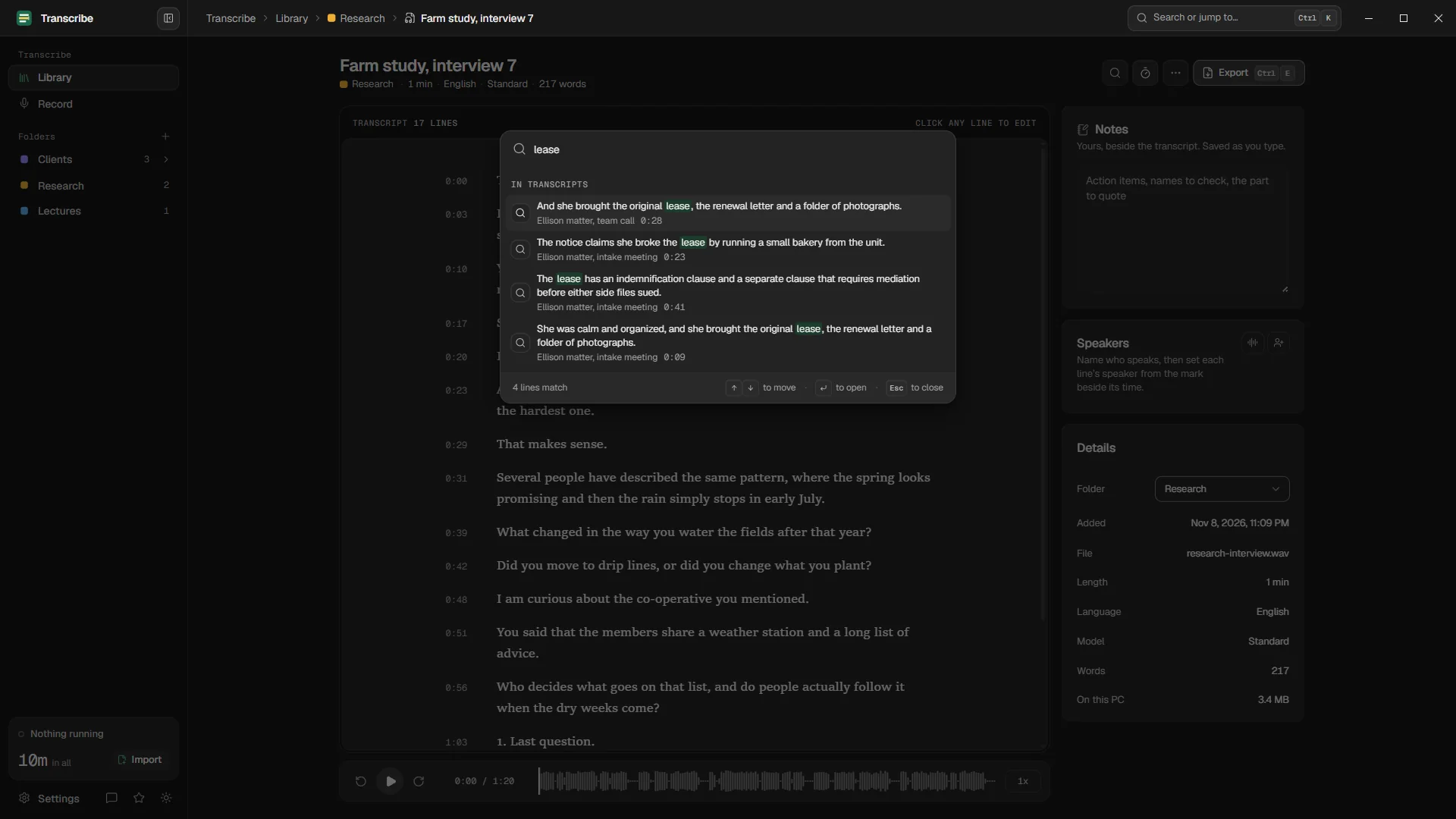
Every interview stays in your library, grouped by day, in folders by story or beat. With Pro, one search covers every transcript and jumps straight to the moment a phrase was said: useful when a story comes back months later.
A simple workflow
Record as usual
On your recorder or phone. For phone and video interviews on your laptop, record with Transcribe directly (Pro), with your source's agreement.
Transcribe
Standard for a quick read; Accurate for noisy cafés, accents and names. Add the interviewee's name and key terms as custom words (Pro).
Mark the quotes
Write the strongest lines and their times into the notes beside the transcript.
Export
Copy the passages into your draft, or export the whole interview as text, Word or PDF.
Handle with care
Questions
Is it safe to transcribe confidential interviews with Transcribe?
The recording and the transcript never leave your PC: there is no upload, no account and no telemetry. Protect the laptop itself as you would your notebook, with disk encryption and a strong password.
Can it transcribe phone interviews?
If the call runs on your laptop, Transcribe can record both sides with Pro. If you record calls another way, import the file.
How accurate is it on noisy recordings?
The Accurate model holds up well in noise: in our tests it made a third to nearly half fewer mistakes than Standard. Check quotes against the audio either way.
Your recordings stay on your PC.
Free to download. Transcribes without an account, without uploads and without the internet.
Coming soon to the Microsoft Store · Windows 10 and 11