Download
Download Transcribe for Windows
Free from the Microsoft Store, for Windows 10 version 1809 or later and Windows 11, 64-bit. About 1 GB with both speech models, so it works offline from the first minute.
Coming soon to the Microsoft Store · Windows 10 and 11
Coming soon
Coming soon to the Microsoft Store
Install
From download to your first transcript
Download
Press Download. Windows installs Transcribe through the Microsoft Store, the same way as any Store app.
Open Transcribe
Find it in the Start menu. There is nothing to sign in to and nothing to set up.
Try the sample
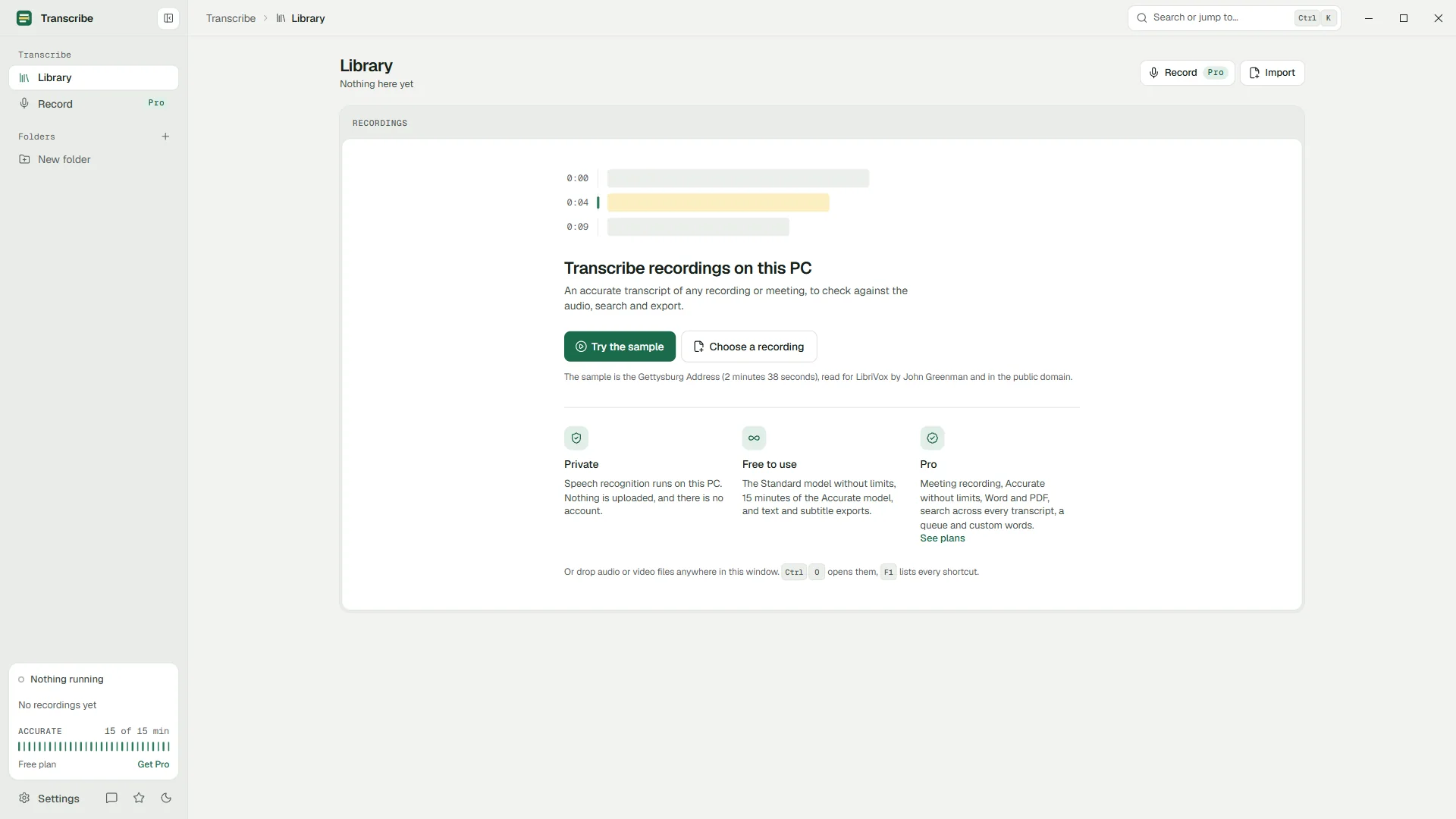
On the first screen, choose Try the sample: a public-domain recording of the Gettysburg Address is transcribed on your PC in moments, line by line.
Add your own recordings
Drag in audio or video (MP3, M4A, WAV, WMA, FLAC, MP4 and more), or open the Record page to record a meeting with Pro.
Requirements
System requirements
- Windows
- Windows 10 version 1809 or later, or Windows 11, 64-bit
- Memory
- 8 GB recommended for the Accurate model
- Disk space
- About 1 GB for the app and its speech models, plus your recordings
- Graphics
- Optional. A graphics card with a Vulkan driver makes transcription faster; without one the processor does the work
- Microphone
- Only to record meetings and calls
- Internet
- Not needed to transcribe. The app only contacts the Microsoft Store to check your plan and show prices
Why the Store
Why Transcribe comes from the Microsoft Store
Checked and signed
Microsoft checks every version before it is published and signs the package, so Windows knows exactly where it came from.
Updates on their own
The Store installs new versions. The app itself never downloads anything while it runs.
Payments by Microsoft
Pro is bought in the Store's own window. Transcribe never sees your card.
A clean uninstall
Uninstalling removes the app, its library folder and its settings. Export anything you want to keep first.
Questions
Questions about installing
Is the download really free?
Yes. Downloading and using Transcribe is free, with the Standard model without limits. Pro is an optional subscription you can buy later inside the app.
The Microsoft Store is blocked on my work PC. What can I do?
Some organizations turn the Store off. Ask your IT department: they can allow the app from the Store or deploy it to your PC with their usual tools.
How big is the download?
About 1 GB, most of it the two speech models. That is what lets Transcribe work without the internet: nothing else downloads later.
Does it run on Windows on ARM?
Transcribe is built for 64-bit Windows on Intel and AMD (x64) processors. It is not tested on Windows on ARM.
How do I uninstall it?
Like any app: Settings › Apps › Installed apps, then Uninstall. Windows removes the app with its library folder and settings, so export the transcripts you want to keep first.
Your recordings stay on your PC.
Free to download. Transcribes without an account, without uploads and without the internet.
Coming soon to the Microsoft Store · Windows 10 and 11