Transcription for lawyers that keeps client audio in the office
Client conversations are confidential by duty, not by preference. Transcribe turns intake meetings, dictations and interviews into text on your own PC, so privileged audio is never handed to a transcription service.
Why offline matters in legal work
Sending a client meeting to a cloud transcription service means disclosing it to a third party: a decision that needs a contract, a look at where the data is processed, and often a conversation with the client. Professional secrecy rules and data protection law both point the same way: the fewer hands the audio passes through, the better.
With Transcribe, the recording is transcribed where it already is. There is no upload, no account, and no service to name in an engagement letter for the transcription itself.
Where it fits
Client intake meetings
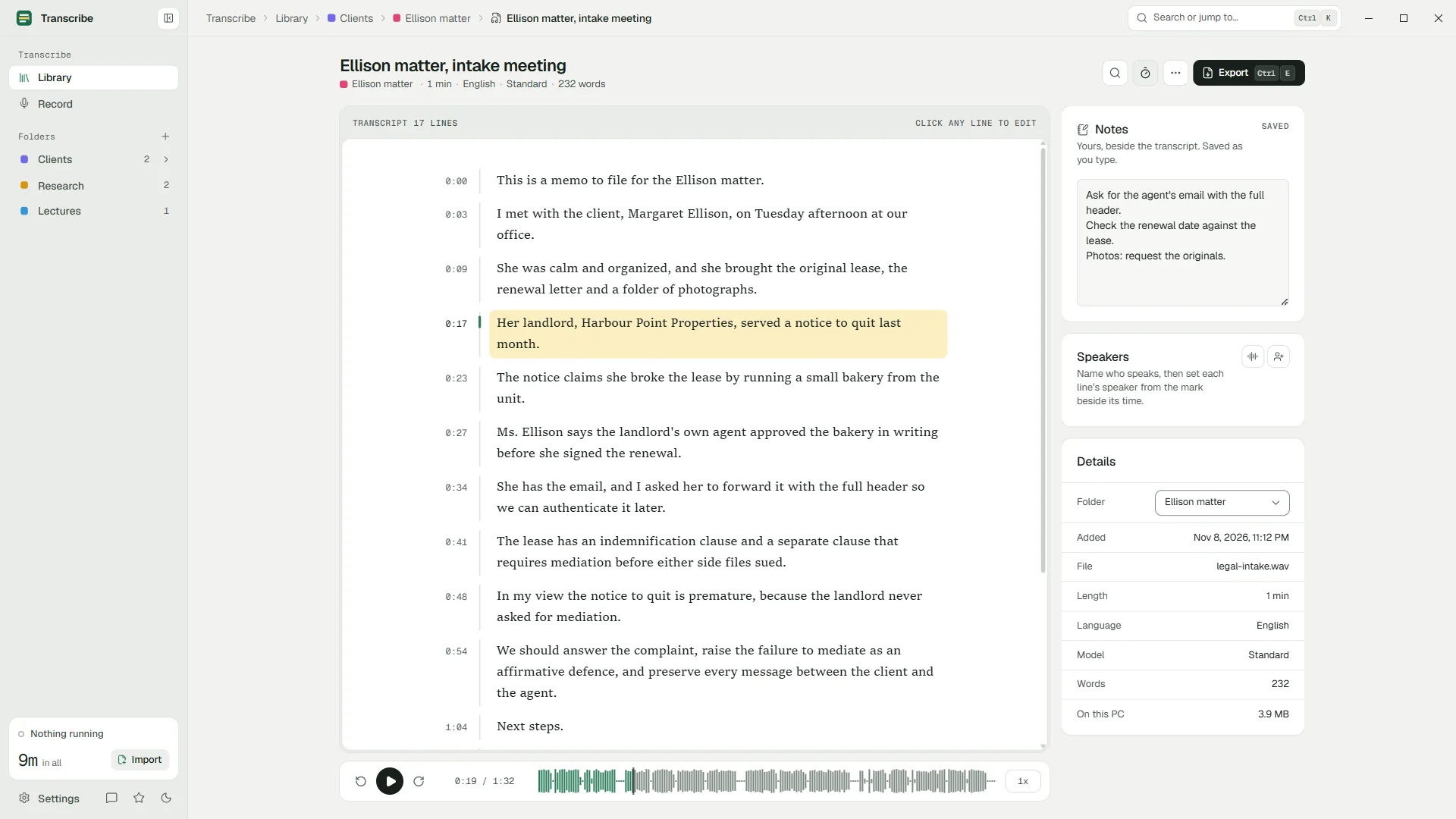
Record the meeting (Pro) or import the recording, then keep the transcript in the client's folder with your notes beside it.
Dictated memos and file notes
Dictate into any recorder and drop the file in. Standard transcribes it free, without limits.
Witness and expert interviews
Speaker detection (Pro) separates the voices; name them once and every line follows.
Documents for the file
Export to Word or PDF (Pro) with a title block, ready to file or send.
Organized by client and matter
- Folders and sub-folders per client and matter; drag recordings onto them.
- Notes beside each transcript for follow-ups, deadlines and questions.
- Search across every transcript (Pro) to find what a client said months ago, and jump to the moment.
- Custom words (Pro) for party names, places and terms of art, so they are spelled right the first time.
Accuracy you can verify
In legal work a transcript is only as good as its checking. Every line in Transcribe is tied to its moment in the recording: click it to hear exactly what was said, fix it in place, and carry on. Names that come out wrong are fixed everywhere at once with find and replace.
Automatic transcription can mishear words and, rarely, write words that were not said. Treat the result as a working transcript, and check quotations against the audio.
What it is not
Questions
Does any client audio leave my computer?
No. Speech recognition, speaker detection and storage all happen on your PC. The app only contacts the Microsoft Store to check your plan and show prices, and sends no data of its own.
Can I use it for depositions or court records?
For your own working transcripts, yes. It is not a certified court reporting tool.
Can the transcripts go into our document management system?
Yes. Export Word (DOCX) or PDF with Pro, or plain text on any plan, and file them as you would any document.
Can I use it on a firm laptop?
Yes, if your IT department allows apps from the Microsoft Store or deploys it for you. It needs no account and no network access to transcribe.
Your recordings stay on your PC.
Free to download. Transcribes without an account, without uploads and without the internet.
Coming soon to the Microsoft Store · Windows 10 and 11